
 All apps
 iOS
 Android
 macOS

Claude
Max 5x61%
Weekly
Resets in 2d 0hObserved just now5-hour42%Resets in 3h 12m
Weekly61%Resets in 2d 0h
ellieGaugeA relay for the AIs you switch between
A switch planner for people who move between Claude, ChatGPT (Codex), Gemini and Grok. Set a main AI, a reserve and a backup order, and Ellie Gauge tells you where to go when your main AI runs low and when it’s back: in your Mac menu bar and in the iPhone and Android apps, and on iPhone and Mac with Relay widgets and comeback alerts too.
Try the dial

01 — RELAY
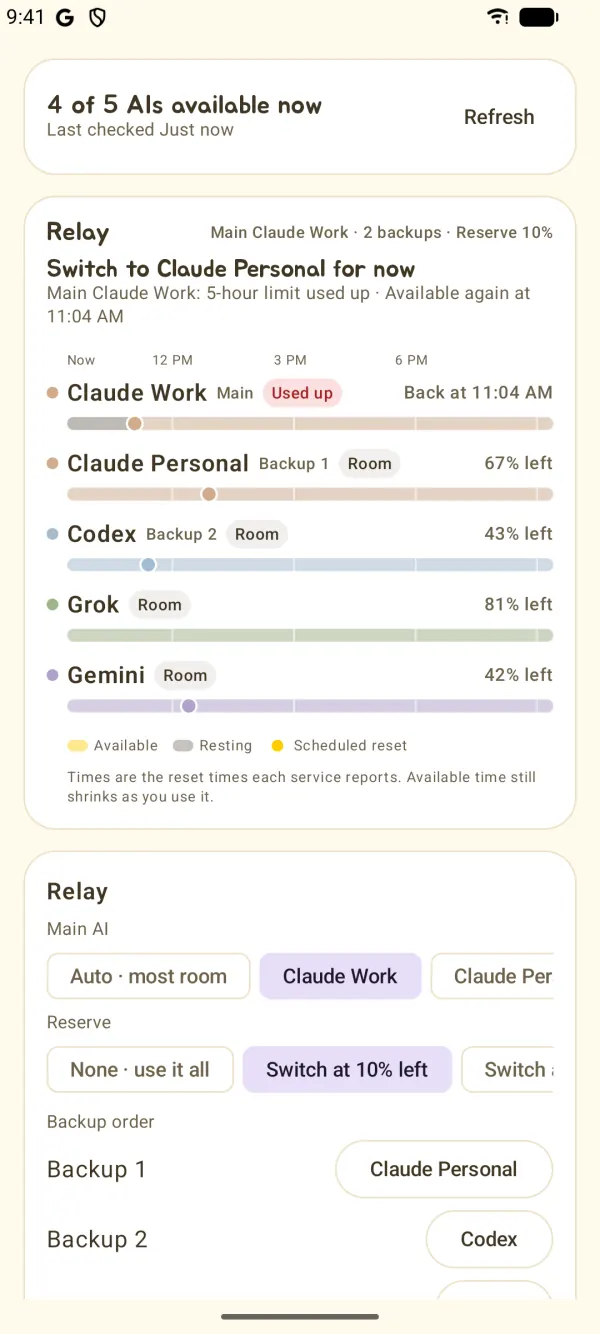
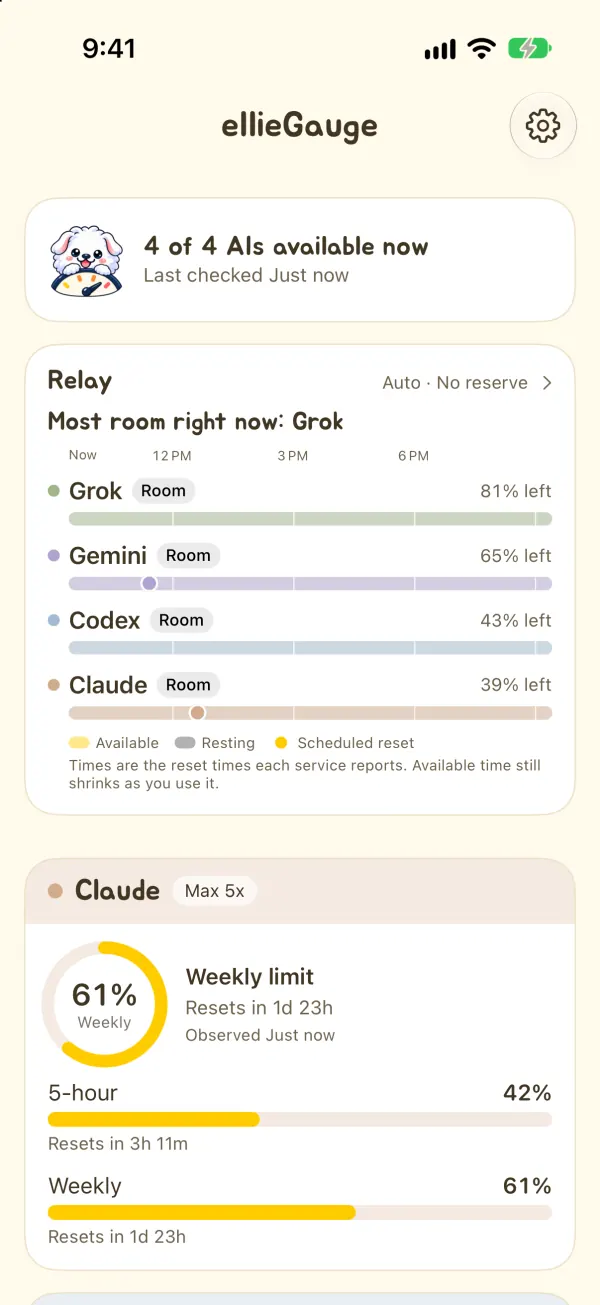
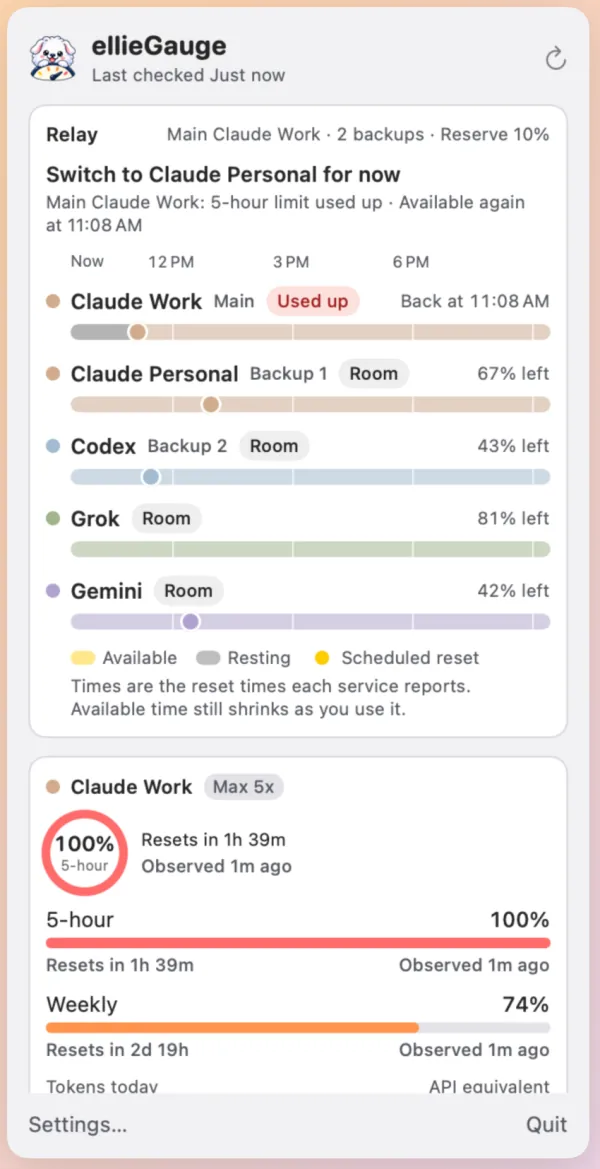
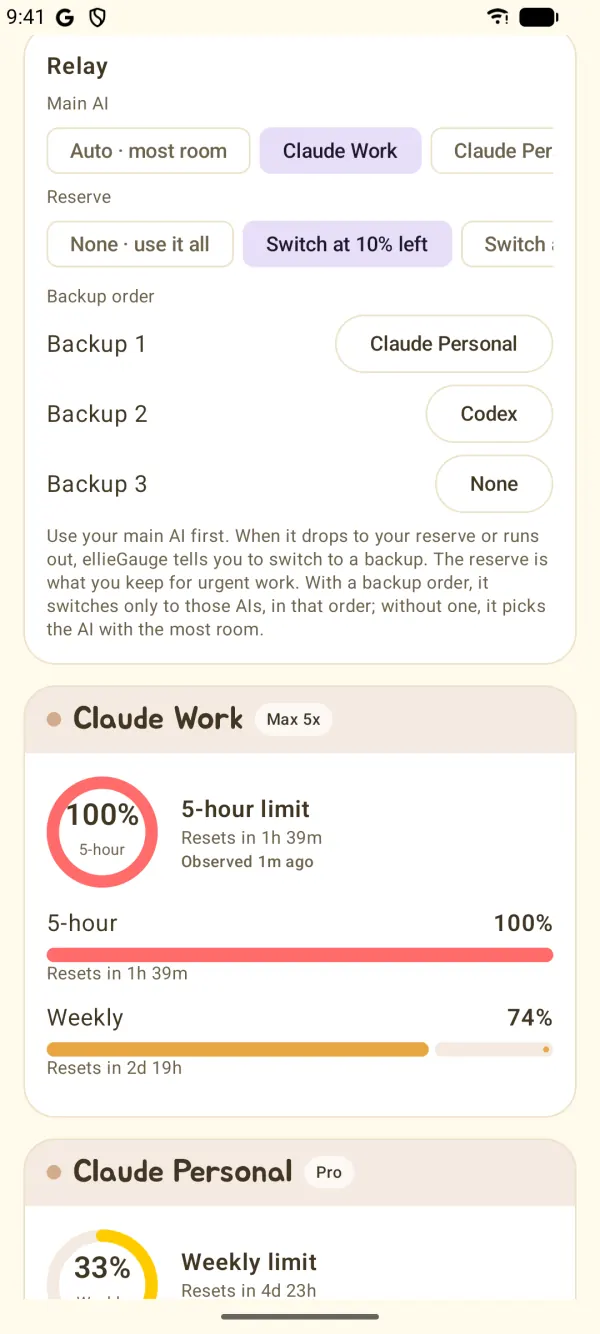
Set a main AI, a reserve to keep for urgent work, and the order of your backups. When the main AI drops to or below the reserve, or runs out, Ellie Gauge names the first backup that can take over, says why, and shows when the main AI is back.
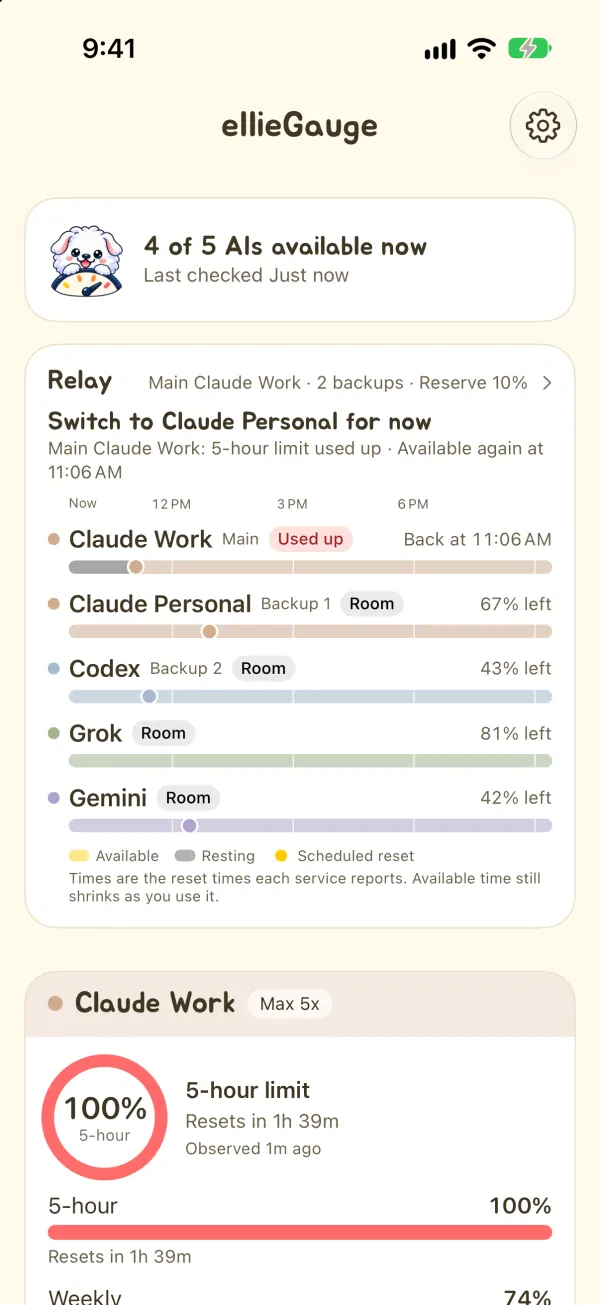
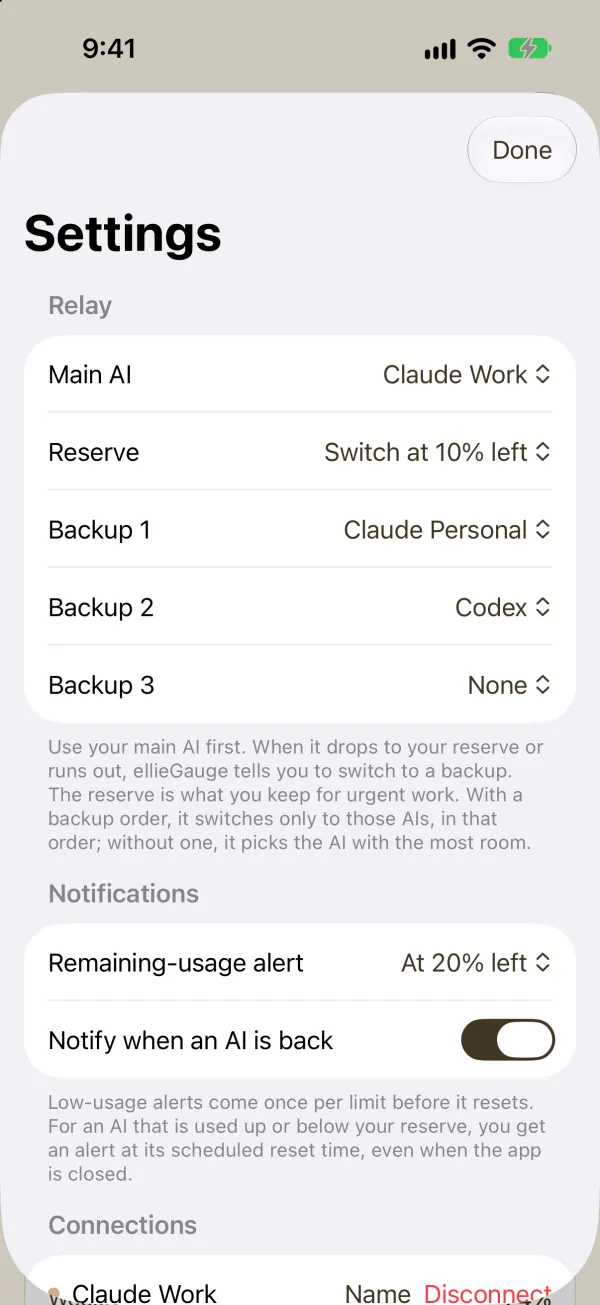
A reserve of 0, 10, 20 or 30%, and up to three backups in order. Another account of the same service (Work → Personal) can be a backup too.
Backups in your order, confirmed values first. AIs you didn’t pick as backups aren’t suggested, however much room they have. Without backups, or when the main AI’s limits are unknown, it picks the AI with the most room.
One line per AI: when it rests and when each limit resets. Only the times each service reports; it doesn’t guess your future usage.
For an AI that’s used up or at or below your reserve, an alert at the scheduled time it’s back (iPhone and Mac). Scheduled ahead, so it comes even when the app is closed.
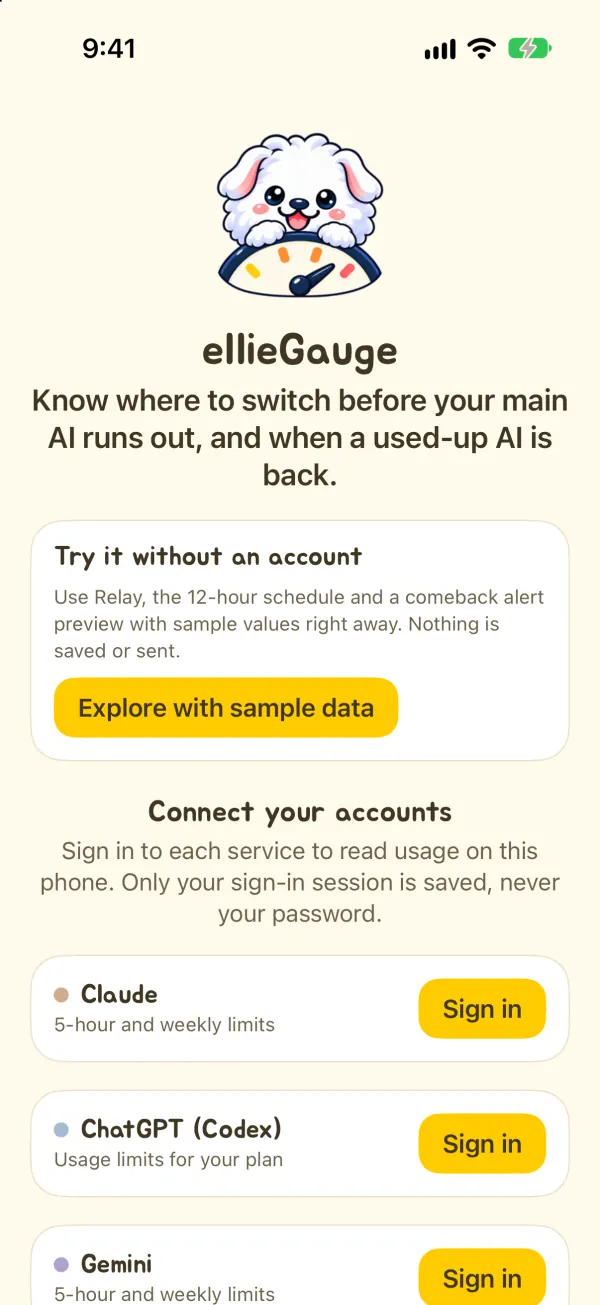
No account yet? “Explore with sample data” on the first screen (on a Mac, in the menu bar panel) lets you try Relay and the schedule with example values. The sample values and any changes you make are not saved or sent.
02 — ONE SCREEN
Every service reports different limits. Ellie Gauge shows just the windows each one actually reports, and sums up how many AIs you can use right now.
Weekly
Resets in 2d 0hObserved just nowWeekly
Resets in 6d 0hObserved 25m agoWeekly
Resets in 4d 0hObserved just nowWeekly
Resets in 5d 0hObserved just nowEach press shows another set of example values.
Drawn on the web after the app’s own design (cream, white cards, a pastel band per service), with example values.
03 — ALERTS AND RESETS
Pick a threshold and play an example day. Usage grows only when you work, and when the five-hour limit resets the weekly one stays where it was. Each limit alerts once per reset cycle.
Example time12:00 PM
11:50 AM · Made-up coding session +17%
Resets in 2h 0m
Resets in 4d 3h
An example day of one Claude account. The app decides on alerts when it checks your usage: never from values over 30 minutes old, kept after a rate limit, or past their reset, and on phones an alert can come late if background refresh does. The alert for when an AI that’s used up, or at or below your reserve, is back is scheduled ahead, so it comes even when the app is closed (iPhone and Mac).
04 — EVERYWHERE
All the places your limits show up without opening the app.
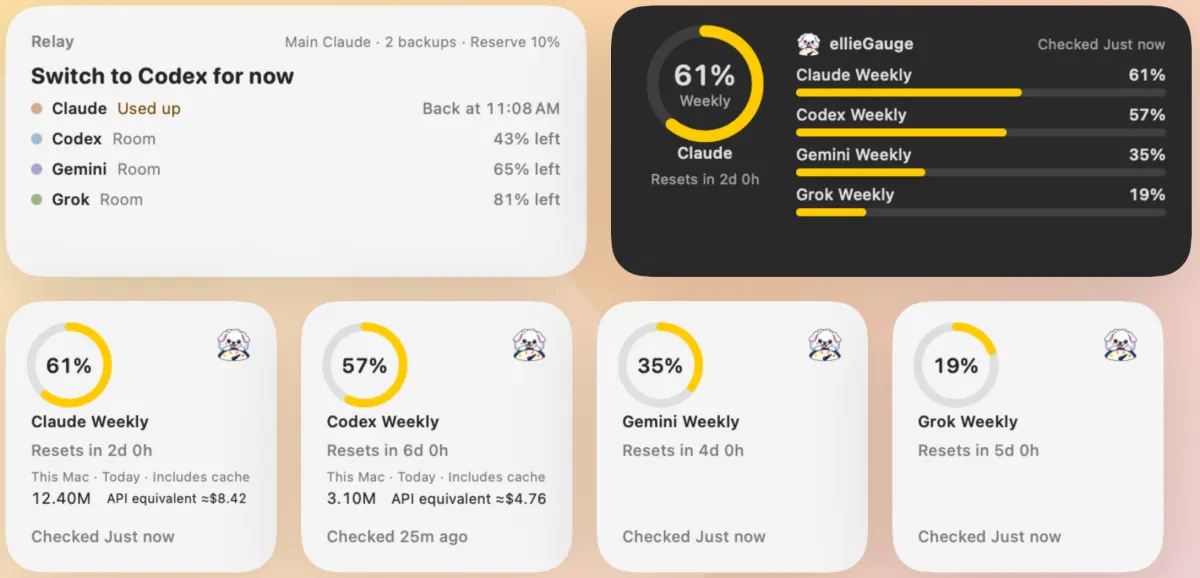
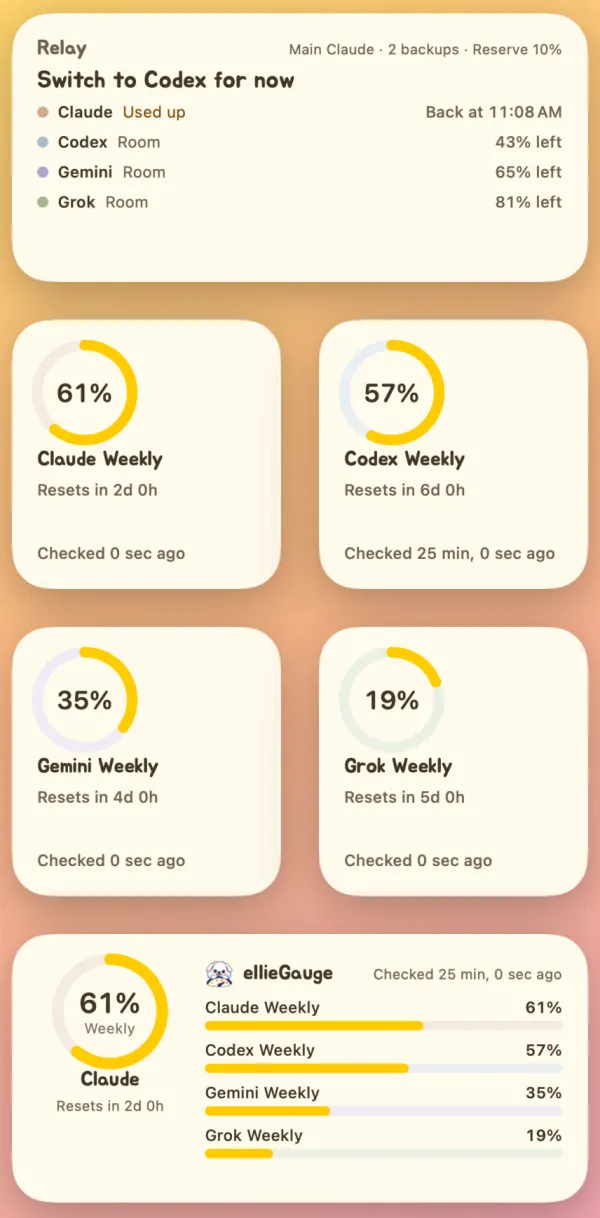
05 — ON A MAC
On a Mac, Ellie Gauge counts today’s tokens from this Mac’s Claude Code and Codex logs and converts them at public API prices.
This Mac · Today · Includes cache
An API price estimate, not an actual bill, and not what your subscription or credits cost.
This Mac · Today · Includes cache
An API price estimate, not an actual bill, and not what your subscription or credits cost.
Opens only the files in ~/.claude/projects and ~/.codex/sessions that changed today.
Reads the model, token counts, time, message identifier and working-folder path from lines with usage. Conversations are not parsed or stored.
Remembers how far it read, so next time only new lines are read: 1.7 s at first, then 0.04 s on a development Mac (it varies with how much is logged).
Example values. Phones cannot read a Mac’s logs and devices do not sync, so phones show limits only. Gemini and Grok do not report token counts, so no cost is calculated for them.
06 — CONNECTING
You sign in to each service inside the app. With that session, your device asks each service directly, with no developer server in between.
Claude, ChatGPT, Gemini and Grok: you sign in to each service yourself in a web view inside the app, Google and Apple sign-in included. The app never sees or stores your password.
Name them, such as Work or Personal; each keeps its own sign-in session. Relay can switch between accounts of the same service too. Additional accounts on Android need an Android System WebView that supports multiple profiles.
Sessions stay in app-only storage, kept apart for each account. Cookies for the iPhone widgets are in a Keychain item for this device only. Disconnecting removes that account’s sign-in and limit values; what may stay on Android, and a Mac’s token records, are in the privacy policy.
Ellie Gauge reads the usage information each service’s website uses, so a service can limit or stop it. When requests are limited, the last value is kept and labelled.
07 — THE APP
iPhone and Android screens are captures of the real app in a simulator and an emulator; the Mac menu bar panel is drawn by the app’s own view code. All show sample values built into the app.
08 — GET STARTED
The iPhone or Android app, or the Mac menu bar app. Release is on its way.
Sign in inside the app to just the services you use. To try it first, tap “Explore with sample data” on the first screen.
Set your main AI, reserve and backup order, then place widgets and pick your alert threshold (20% by default).

macOS 14.0+ · iOS 17.0+ · Android 8.0+
Get in touch for download and availability information.
No. Ellie Gauge is not affiliated with, endorsed by or sponsored by Anthropic, OpenAI, Google or xAI. Claude, ChatGPT, Codex, Gemini and Grok are trademarks of their respective owners.
No. You sign in to each service inside the app, and only the sign-in session is kept on this device. Nothing is sent to a developer server.
When your main AI drops to or below the reserve, or runs out, it suggests the first backup in your order that can take over, preferring confirmed values. AIs that aren’t backups aren’t suggested; without backups, or when the main AI’s limits are unknown, it picks the AI with the most room.
Yes. “Explore with sample data” on the first screen (on a Mac, in the menu bar panel) lets you use Relay, the schedule and Settings with example values. The sample values and any changes you make are not saved or sent.
The app reads when you open it (using saved values for 5 minutes) and when you refresh. Widgets and background refresh ask for an update after 15 minutes, and the system decides when. A Mac reads at the interval you pick (5 minutes by default).
When a service limits requests, the last value stays, labelled as rate limited. You are asked to sign in again only when the sign-in has really expired.
No. It converts this Mac’s Claude Code and Codex logs at public API prices, as a reference. It is not your subscription or credit usage.
No. Tokens and cost come from Mac logs only. Phones show limits, and devices do not sync.
PRIVACY
You sign in to each service inside the app, and your device asks each service for your limits directly. No developer server, no ads or analytics.
LET’S SAY HELLO
An app idea, a question, or something that could be better.
I’d love to hear from you.

 61%