



All apps

ellieSentry Tools for focus

Keep your Mac awake.
Keep your mind at ease.

macOS
Take a closer look
Ellie Sentry

A little companion that keeps your Mac awake.

ellieSentry · OVERVIEW

Let your Mac keep going.Give yourself a little room.

Long downloads, late-night projects, uninterrupted focus. Ellie keeps your Mac awake while you get on with what matters.

2Separate sleep controls
4Automatic trigger types
LocalDuty logs on your Mac

Feature preview

Until the work is done.Ellie stays with you.

Three little moments. One familiar flow.

  1. 01Choose what stays awake

    Choose your Mac and display independently.

  2. 02For as long as you need

    Set a separate timer for each task.

  3. 03Keep your flow

    Keep your attention on your work while Ellie is on duty.

An illustrated preview of the workflow. Explore the app screens below.

LITTLE DETAILS. BIG DIFFERENCE.

01 — Sleep control

Screen off.Work still on.

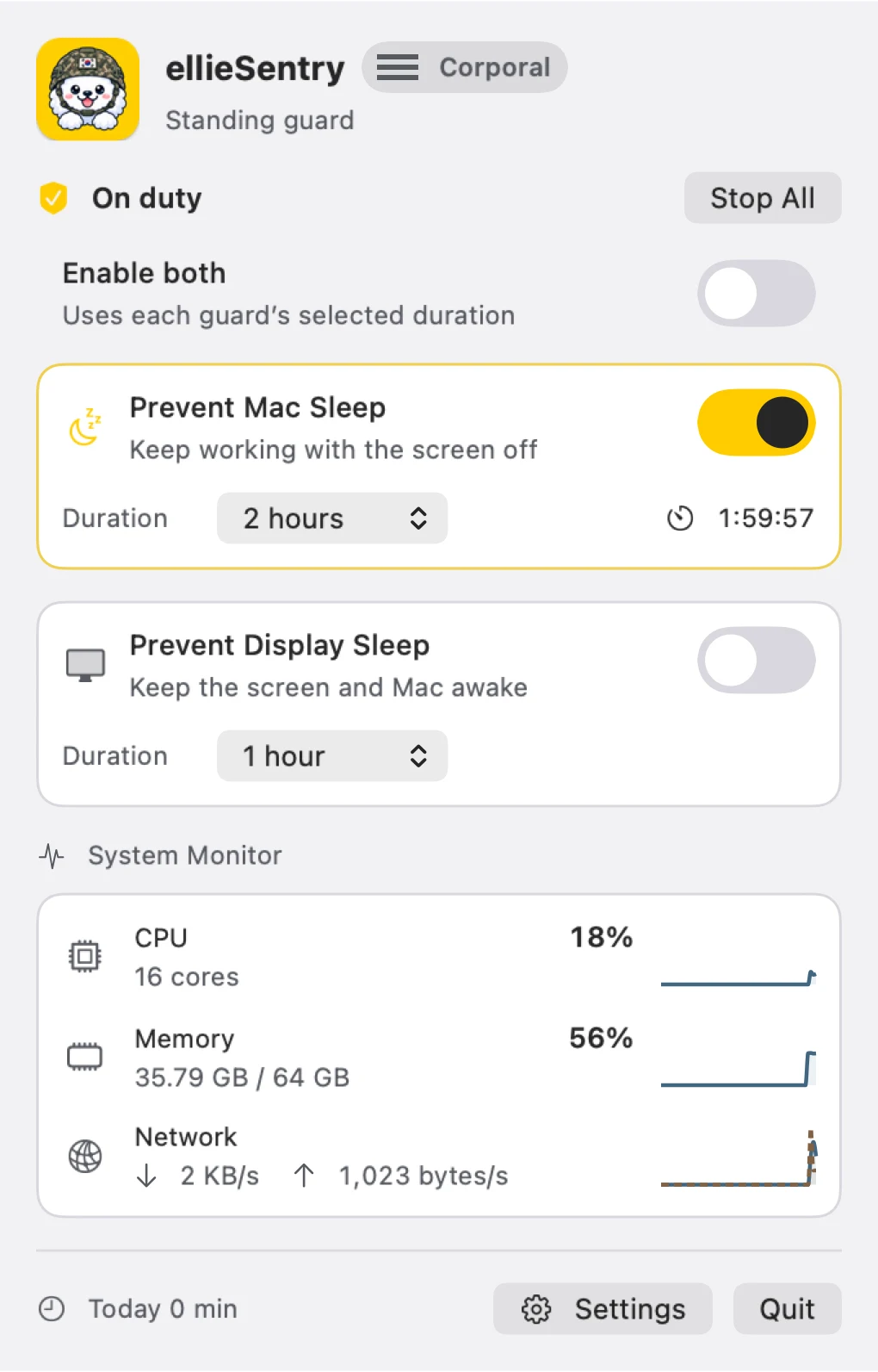
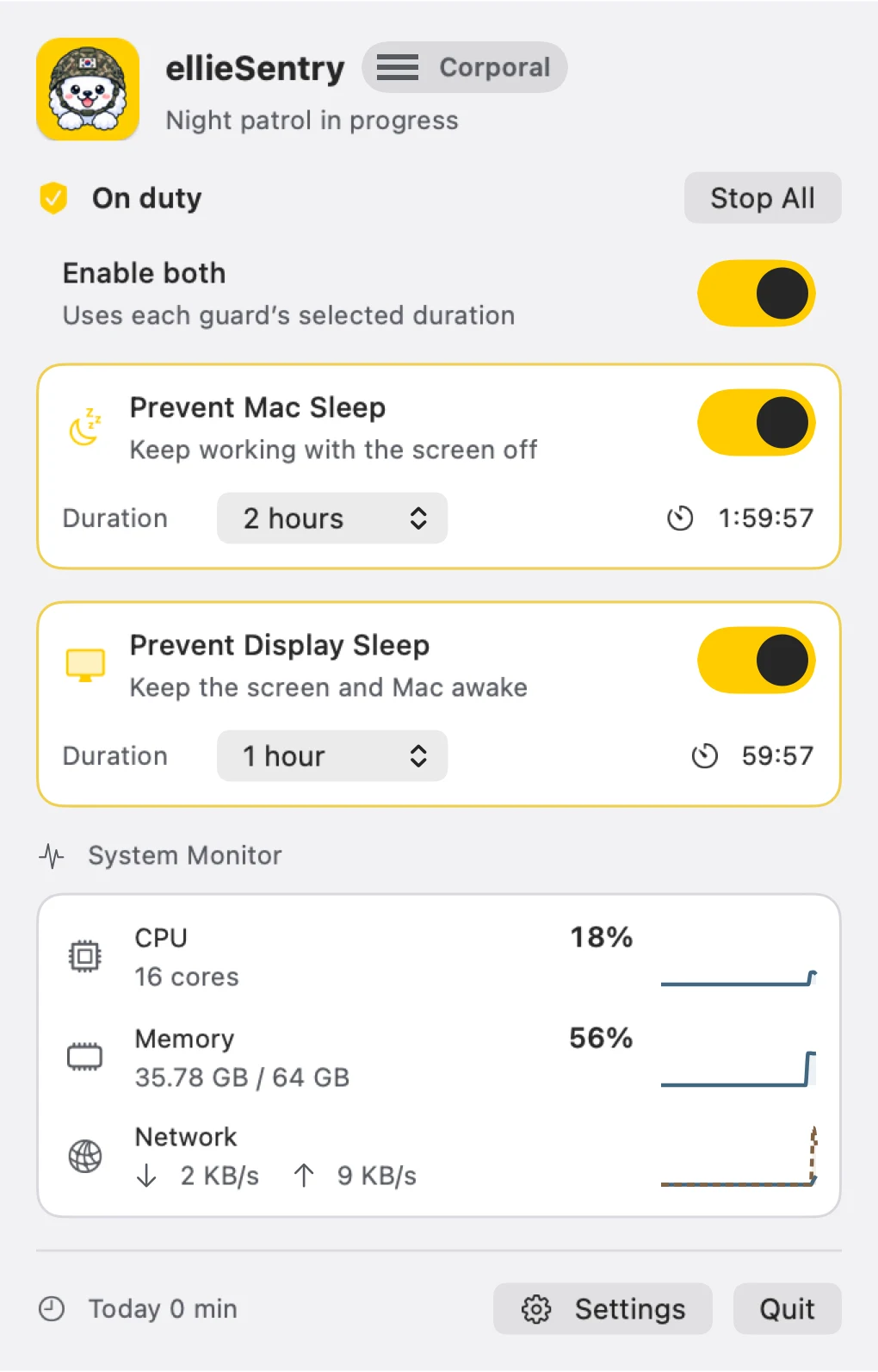
Keep long downloads and tasks going. Control Mac sleep and display sleep independently, with a duration for each.

  • Independent Mac and display controls
  • Timed or indefinite sessions
  • Remaining time at a glance
Sleep prevention and system monitor
Two controls. One small menu.

App capture

02 — Automatic duty

Ready whenyour work is.

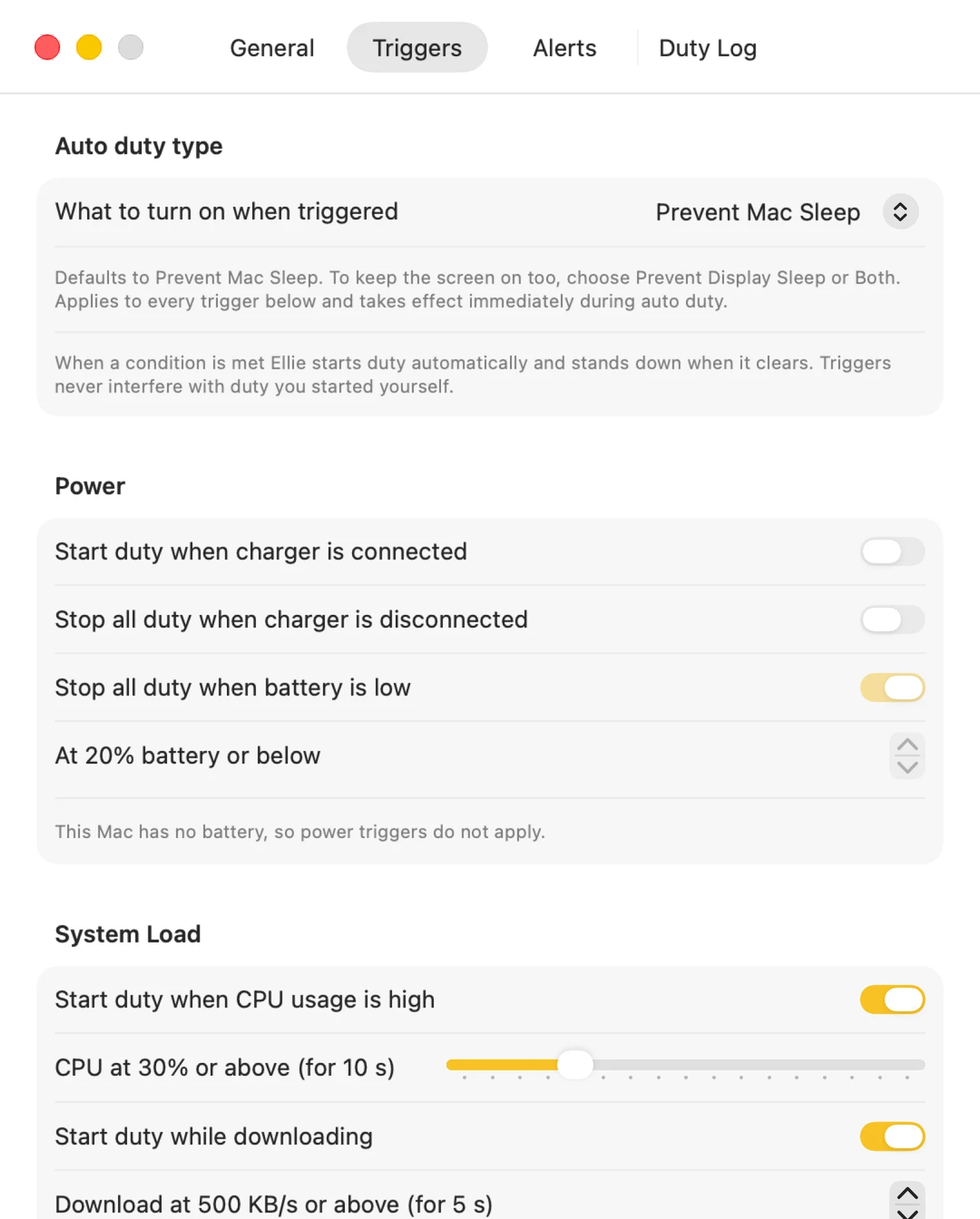
When power is connected, CPU activity rises, a download is active, or a chosen app is running. Set the conditions that match your work.

  • Power connection
  • CPU and network activity
  • Selected running apps
Automatic duty triggers
Automation that follows your work
App capture

03 — Monitor and journal

Small menu.A clearer picture.

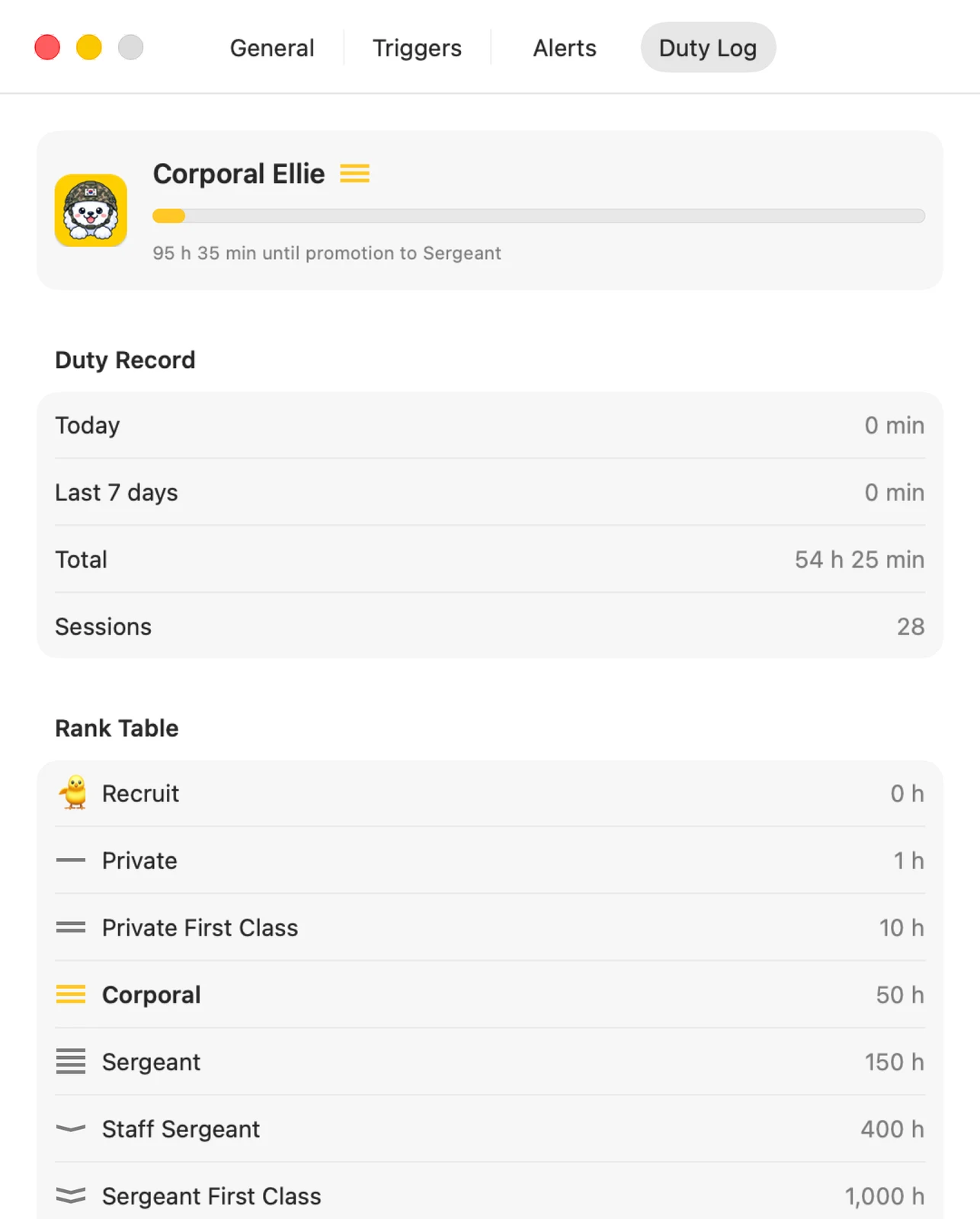
Check CPU, memory, and network activity without leaving your flow. Review today’s duty and past sessions, and watch Ellie earn new ranks.

  • Live system readings
  • Today’s duty and past sessions
  • Ranks earned through duty
Duty journal and ranks
A little history, together
App capture

A LITTLE MORE DETAIL

Made for the littlemoments, too.

Get to know the details that make the app useful.

01

Mac sleep prevention

Keep tasks running even when your display can turn off.

02

Display sleep prevention

Keep the screen visible for presentations and progress monitoring.

03

Independent timers

Choose a duration for each control and check the remaining time.

04

Automatic triggers

Configure power, CPU, network, and running-app conditions for your workflow.

05

System monitor

Check CPU, memory, and network activity right in the menu.

06

Duty journal

Review your sessions and see Ellie’s rank change as time adds up.

LET’S GET STARTED

A simple place to start.

  1. 01

    Open from the menu bar

    Click Ellie to open the duty menu.

  2. 02

    Choose what stays awake

    Select Mac or display and set the duration.

  3. 03

    Make it automatic

    Add automatic conditions for your recurring tasks.

Ellie Sentry

macOS 14.0+

Compatibility
macOS 14.0 or later
Made for
Downloads · long tasks · presentations
Data storage
Preferences and duty logs on your Mac
Where it lives
Menu bar

A few useful answers.

Can I control Mac and display sleep separately?

Yes. Each control has its own setting and duration.

What can start duty automatically?

Power connection, CPU activity, network downloads, and selected running apps can act as conditions.

Where are duty logs stored?

Preferences and duty logs stay on your Mac. See the app privacy policy for retention and deletion details.

YOUR DATA, EXPLAINED

The details of your data.

Preferences, duty logs, and live system readings are processed on your Mac.

Privacy policy for this app

LET’S SAY HELLO

Little ideas.
Lovely conversations.

An app idea, a question, or something that could be better.
I’d love to hear from you.

Ellie waving hello with a yellow envelope
Sleep prevention and system monitor